Add charts from chart library
To create a Dashboard select the charts from the Chart Library.
Before you begin, verify you have created chart, accessible in the Charts > Charts Library section.
- Log in to PulseOps BI as Admin/SuperAdmin
- From the Menu bar select Dashboards
- Click on + New Dashboard button
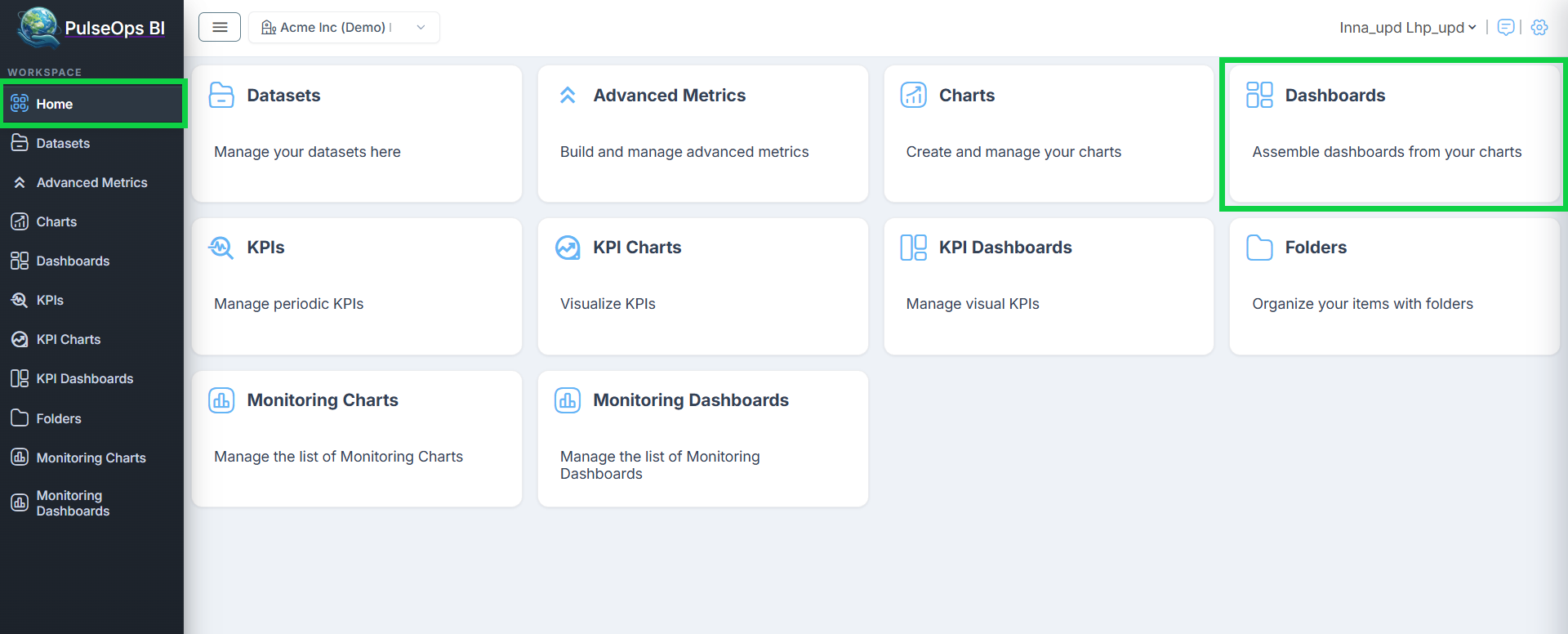
or
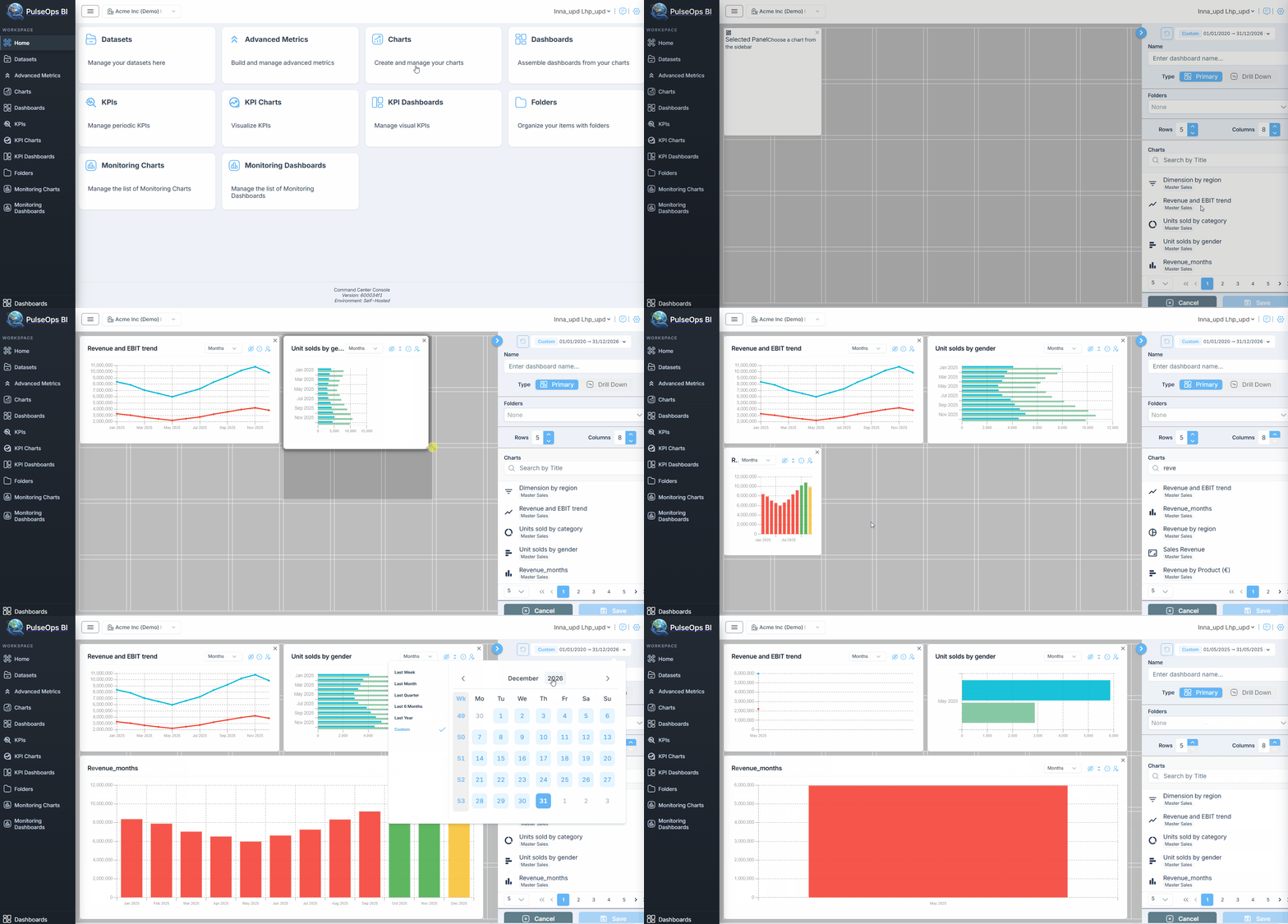
 Then a dashboard creation page opens
In Charts section you can find previously created charts, by typing in Search field, a title of the chart or by scrolling the pages
Select the time range from the dropdown to specify the period to which the dashboard applies. Click on Apply button to confirm your selection
To add a chart to the dashboard clicking on a chart in Charts list
INFO
The PulseOps BI allows adding charts created with different datasets to the same dashboard.
Chart is on a Dashboard!