Time Aggregation
The PulseOps BI offers the capability to change, during the dashboard visualization on the Viewer, the time aggregation function (when used in a chart as dimension).
- Log in to the PulseOps BI as User/Admin/SuperAdmin.
- From the menu, select Charts.
- Click on the + New chart button.
- In the Datasets field, select a dataset.
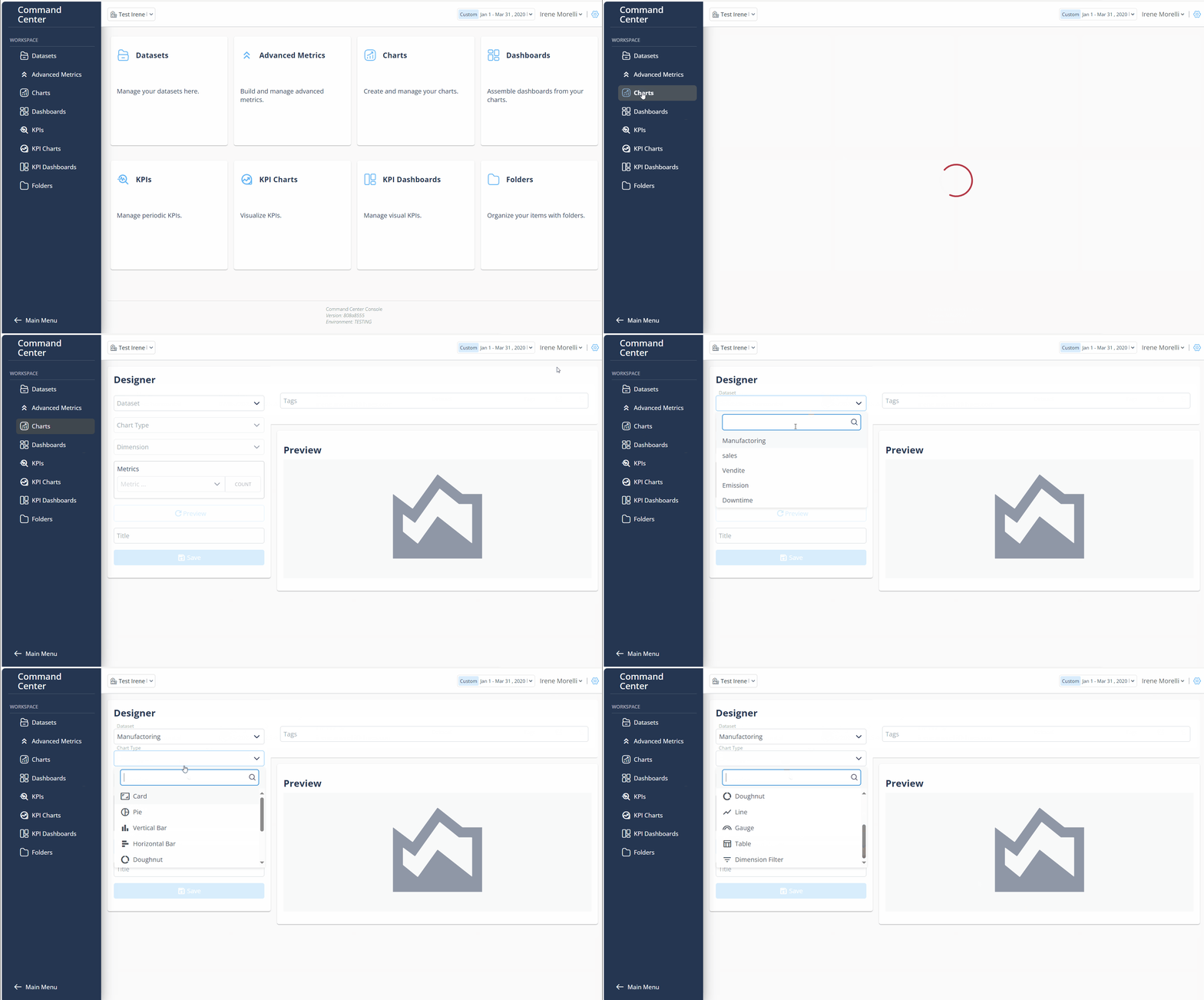
- In the Chart type field, choose Line Chart or Vertical Bar Chart.
- In the Aggregation field, select the timestamp.
- Create your chart and save it.
- View the dashboard containing the previously created chart in the Viewer.
- Click on the box at the top right of the chart of interest, which shows the default time aggregation (set during creation).
- Select the desired time aggregation.
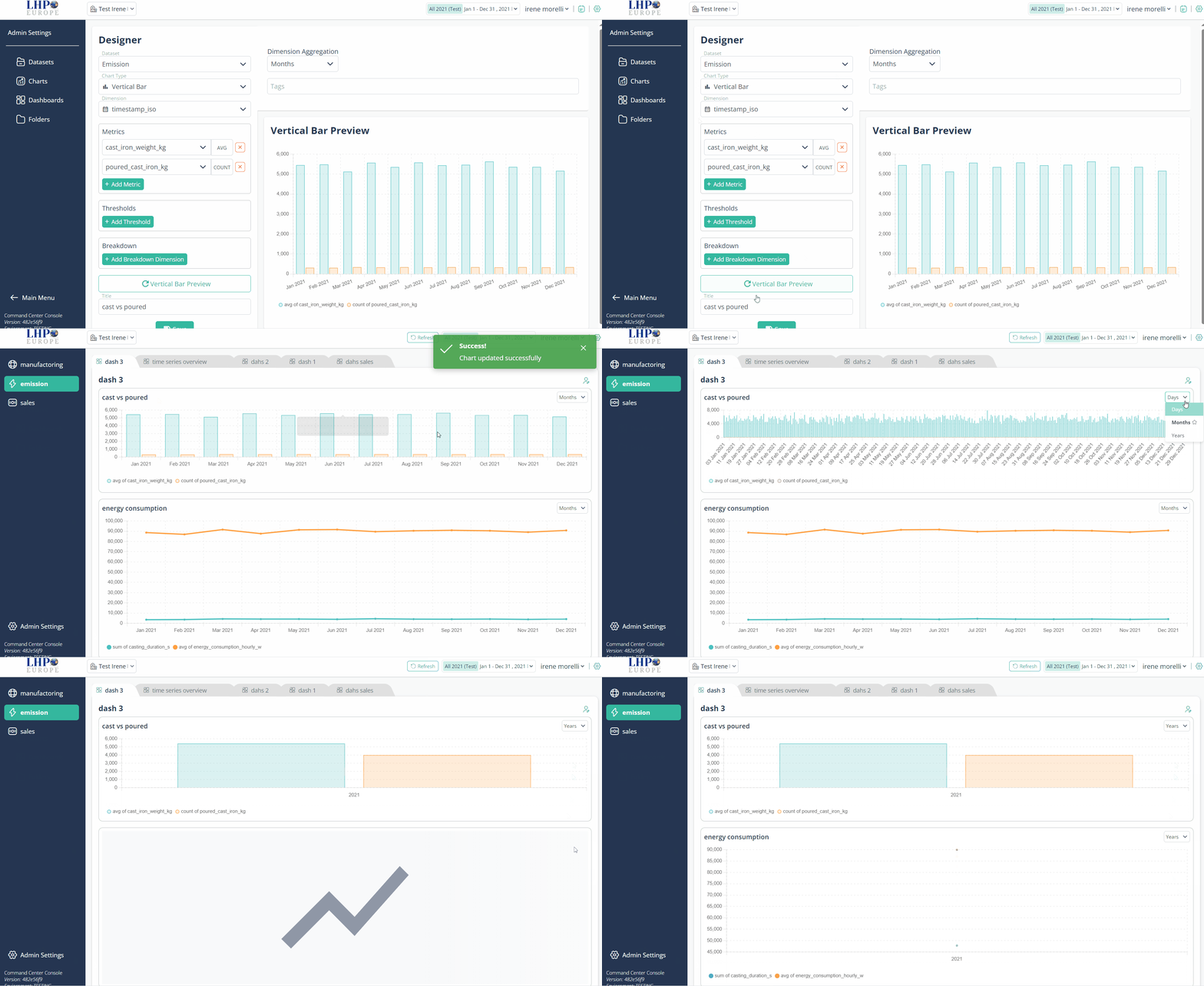
Note: This modification is temporary; once the page is refreshed, the time aggregation will return to the default setting.