Primary Dashboard
The Primary Dashboard is used as a tool for presenting visualizations, equipped with a Drill-Down feature that empowers users to adjust the level of detail presented in a chart. This functionality enables users to drill down into specific data details (drill-down dashboard) or drill up (primary dashboard) to access broader and more general information.
Creation of the Primary Dashboard
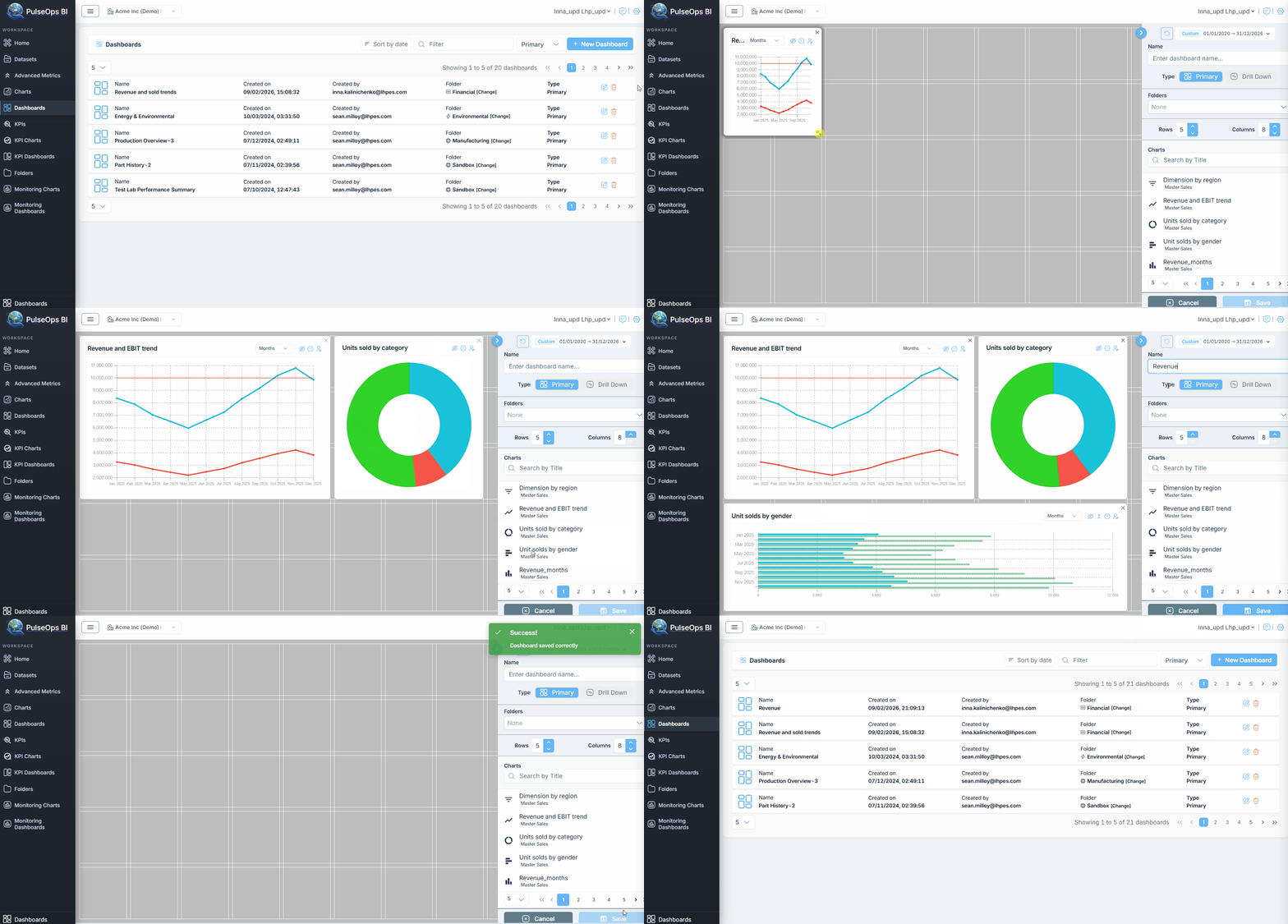
To create a Primary Dashboard you should add сhart from Chart Library. Before you start, verify you have created chart which you can see in Charts > Charts Library.
Log in to PulseOps BI as Admin/SuperAdmin
From the Menu bar select Dashboards
Click on + New Dashboard button Then dashboard creation page opens
Verify you select Primary Dashboard Type > Primary
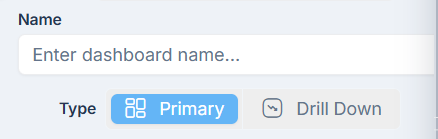
Now you are creating a Primary Dashboard
- Click on Folders dropdown to choose the Folder
- Add charts to Dashboard layout and give a Name to Dashboard
- Click on Save button
- Created Primary dashboard is in Dashboards > Dashboard Library > Primary