Drill Down
Drill Down is a data exploration technique that allows users to navigate from a higher-level summary of data to more detailed and granular information. It is commonly used in data analysis and reporting tools to provide a more in-depth understanding of specific data points, trends, or anomalies. The main usage of drill down are:
•Discovering Trends and Patterns: drill down helps users uncover hidden trends and patterns that may not be apparent in the initial high-level views. By exploring data at a more granular level, users can identify correlations and insights.
•Investigating Anomalies: when outliers or anomalies are observed in the summary data, users can drill down to investigate the specific data points causing the deviation. This aids in understanding the root causes of unusual patterns.
•Data Validation and Error Detection: drill down is valuable for validating data accuracy and detecting errors. Users can pinpoint discrepancies or inconsistencies in the data by examining individual data points.
•Extracting targeted insights: without the need for complex queries or filtering.
•Enhancing Decision-Making: by gaining a more profound understanding of the data through drill down, users can make more informed decisions. This is crucial for strategic planning, identifying areas for improvement, and making data-driven choices.
Creation of the Drill-Down
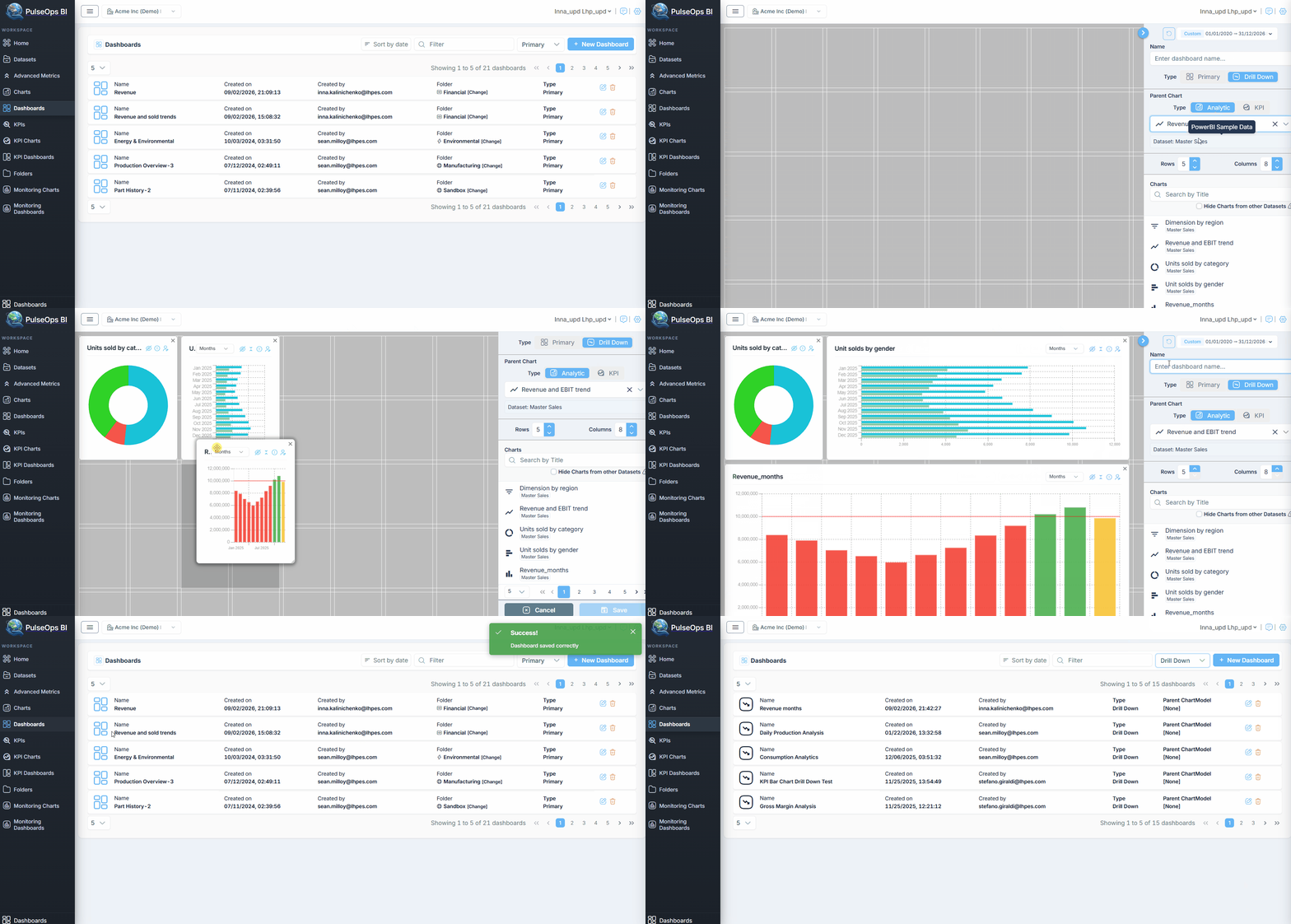
To create a Dashboard you should add сhart from Chart Library. Before you start, verify you have created chart which you can see in Charts > Charts Library.
Log in PulseOps BI as Admin/SuperAdmin
From the Menu bar select Dashboards
Click on + New Dashboard button in the Dashboard Library
Then dashboard creation page opensTo activate Drill Down option select Type > Drill Down
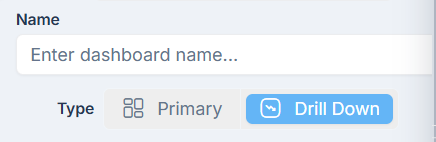
Now you are creating a drill Down Dashboard
- Click on Parent Chart dropdown to choose the primary chart
(Selected Parent chart will appear in the field)
Parent chart definition:
The original chart that provides an overview or summary of data. It usually displays aggregated or high-level information. (Users can interact with elements in the parent chart to initiate a drill-down)
Hide checkbox allows to hide charts that are not dependent on the used dataset.
Add charts to Dashboard layout and give a Name to Dashboard (as for the creation of a normal dashboard)
Click on Save button
Created Drill Down dashboard is in Dashboards > Dashboard Library > Drill Down