Posterior Updates
The PulseOps BI allows you to edit both your charts and dashboards after creation, automatically updating all related works.
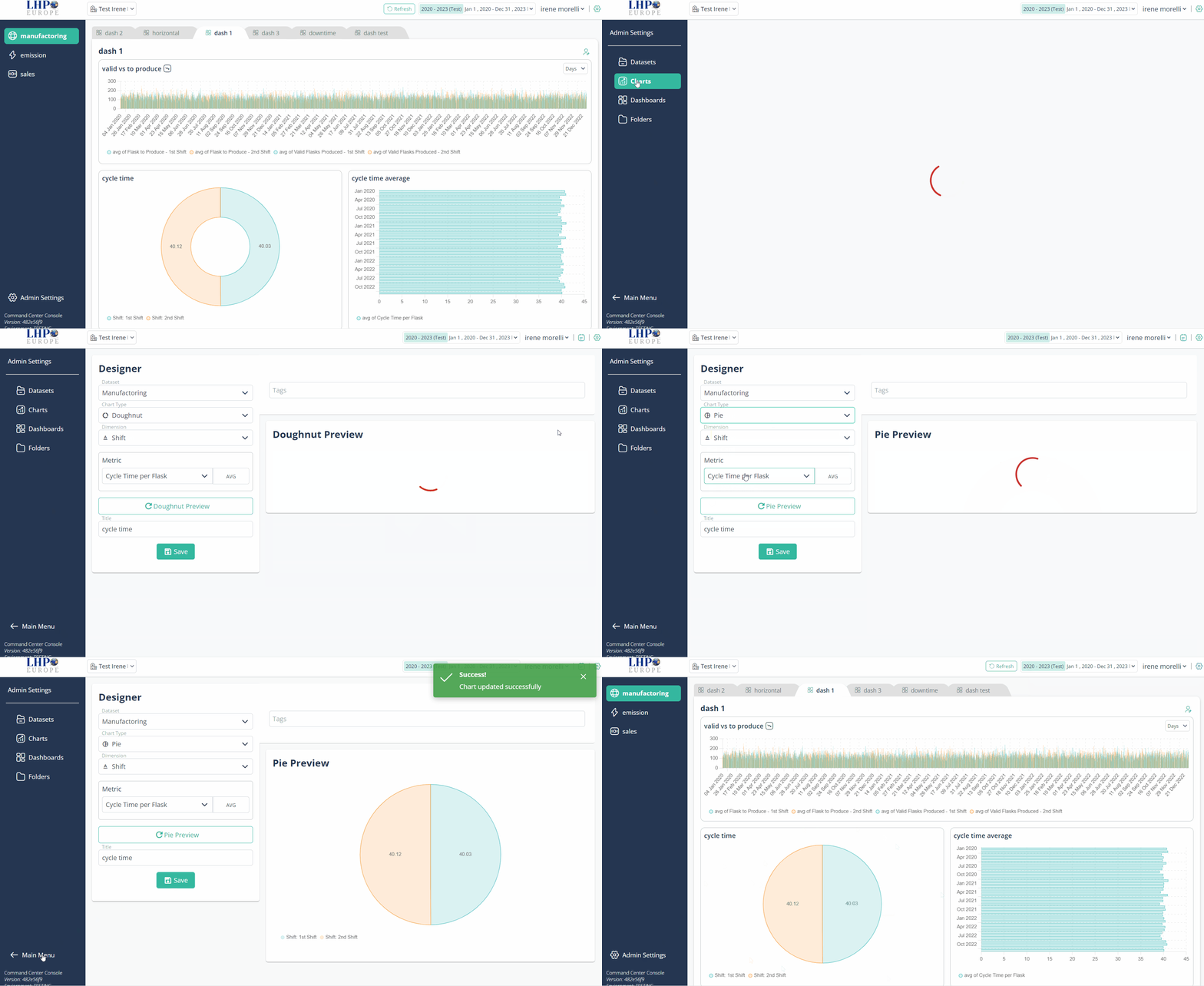
Charts
- Log in PulseOps BI as User/Admin/SuperAdmin
- From the Menu bar select Charts
- Click on the Edit buttonrelated to the chart you want to modify

- Apply the modification (title, chart type, dimension, metric)
- Click on Save
- The chart has been successfully updated
Dashboard
There are two ways to modify the dashboard:
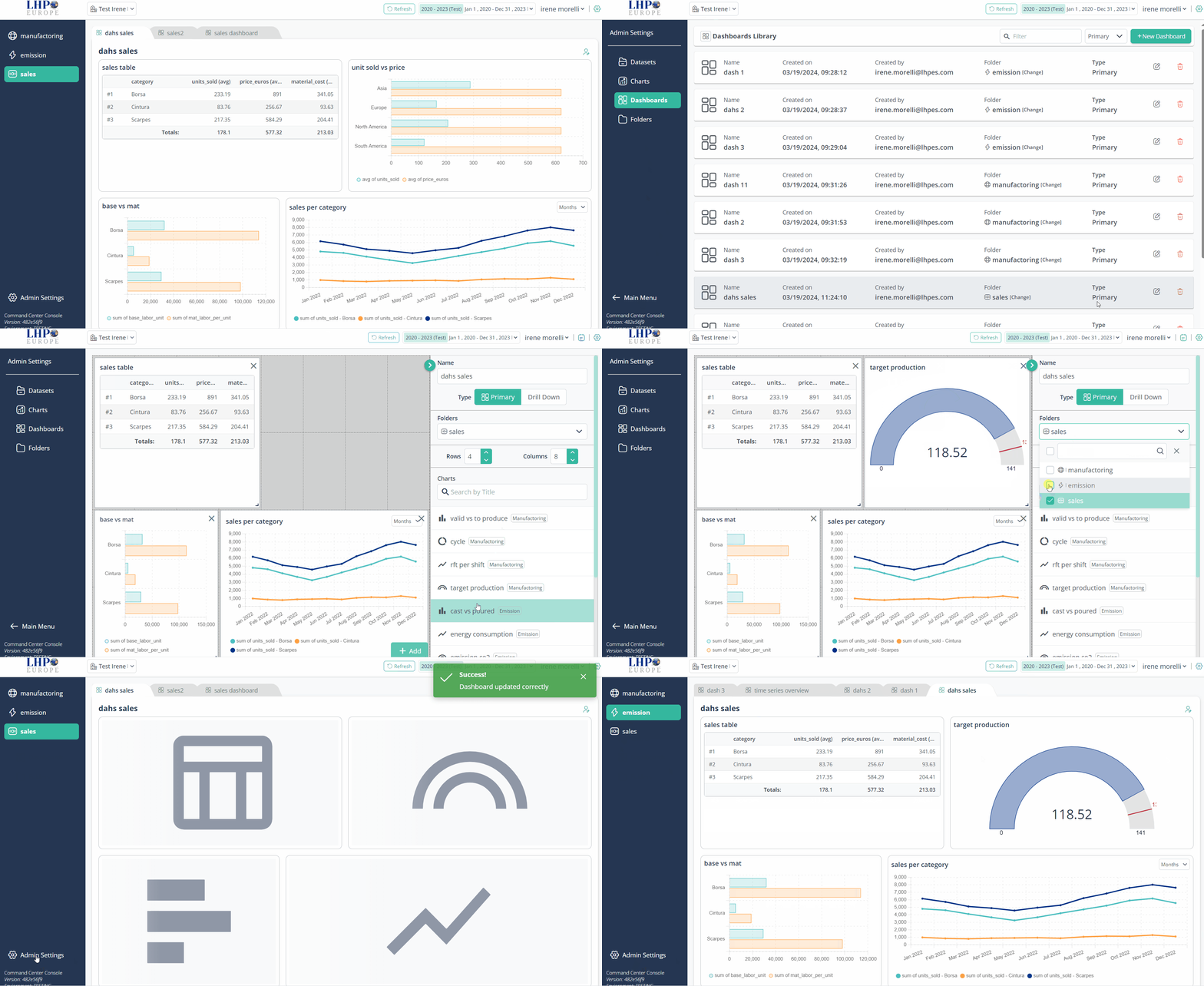
a) From dashboard library
- Log in PulseOps BI as User/Admin/SuperAdmin
- From the Menu bar select Dashboards
- Click on the Edit buttonrelated to the dashboard you want to modify
- Apply the modification (charts organization, deleting or adding different charts, title, type of dashboard, folder)
- Click on Save
- The dashboard has been successfully updated
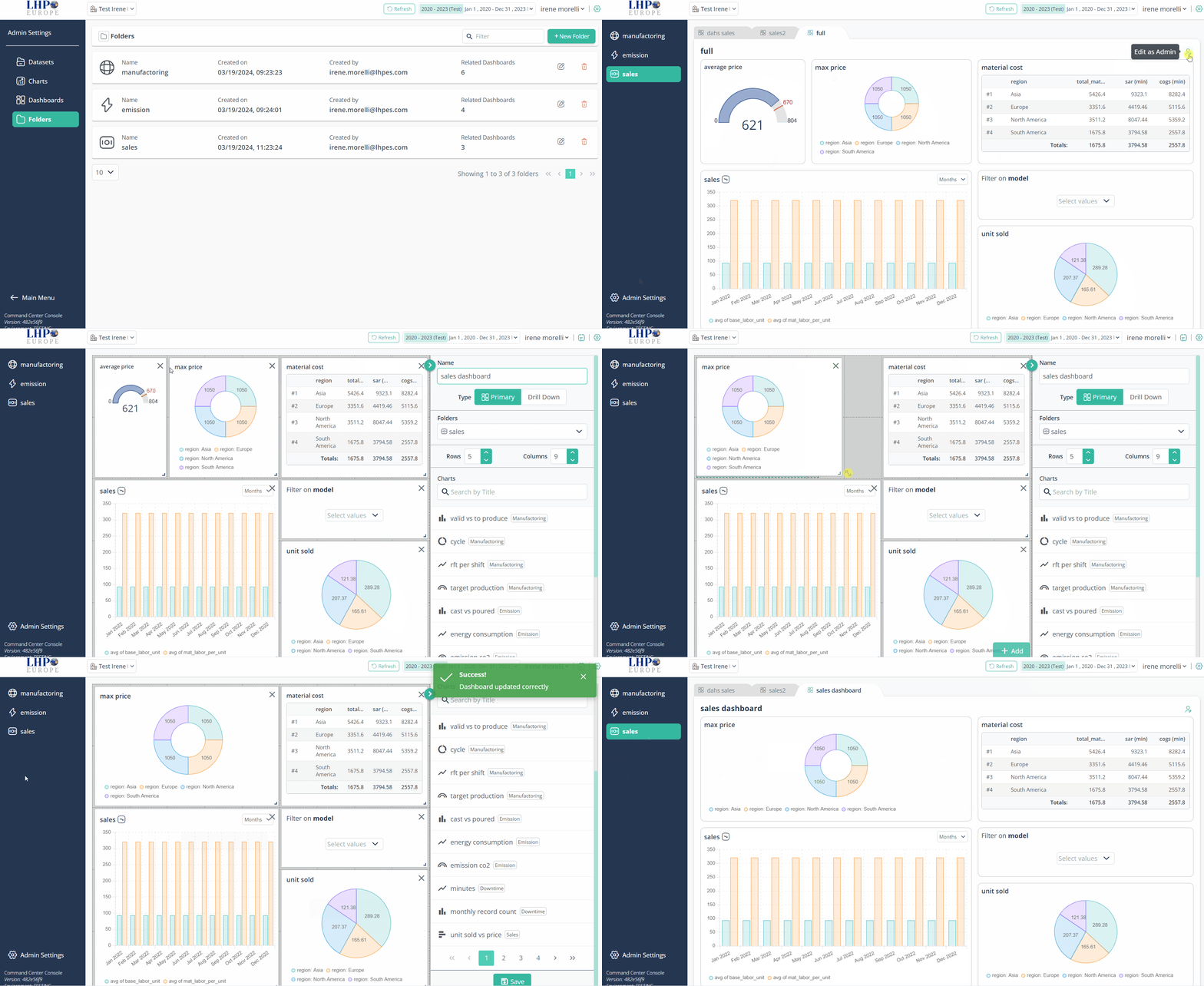
b) From Viewer
- Log in PulseOps BI as User/Admin/SuperAdmin
- From the Viewer select the Dashboard of interest
- Click on the Edit as Admin icon

(on the top right of the dashboard) 4. Apply the modification (charts organization, deleting or adding different charts, title, type of dashboard, folder) 5. Click on Save 6. The dashboard has been successfully updated