User managment
User Creation
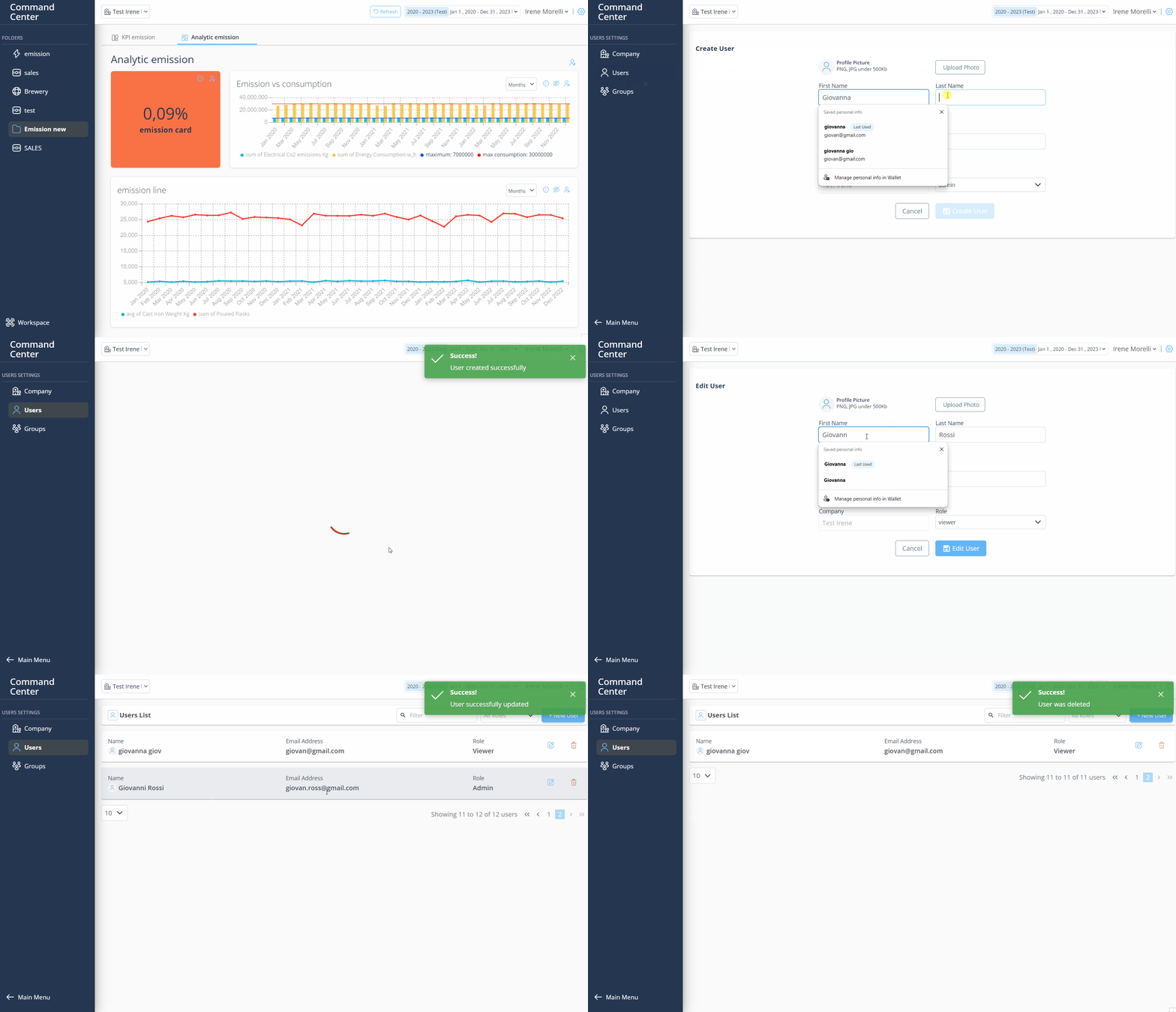
Before you begin, verify that you are an Admin.
- Log in PulseOps BI as Admin/SuperAdmin
- From the Menu bar, click the Admin Setting button

- From User setting Menu bar select User
- Click on + New User
- Create User page opens
- In First Name, Last Name, Email fields enter the relative informations
- Click on Upload photo button and select a jpg/png picture from your files
- In Role dropdown, select the role of the profile you are creating
- Click Create User button
- Created User is in Users > Users List
User Update
- Log in PulseOps BI as Admin/SuperAdmin
- From User setting Menu bar select User
- Click Edit button

- Create User page opens
- Apply the desidered changes
- Clink on the Update User
- The User is successfully updated and is in Users list
User deletion
- Log in to the PulseOps BI as Admin/SuperAdmin
- From User setting Menu bar select User
- Click on the Delete button
- A confirmation message will appear, click on YES
- The user has been successfully deleted
Guide