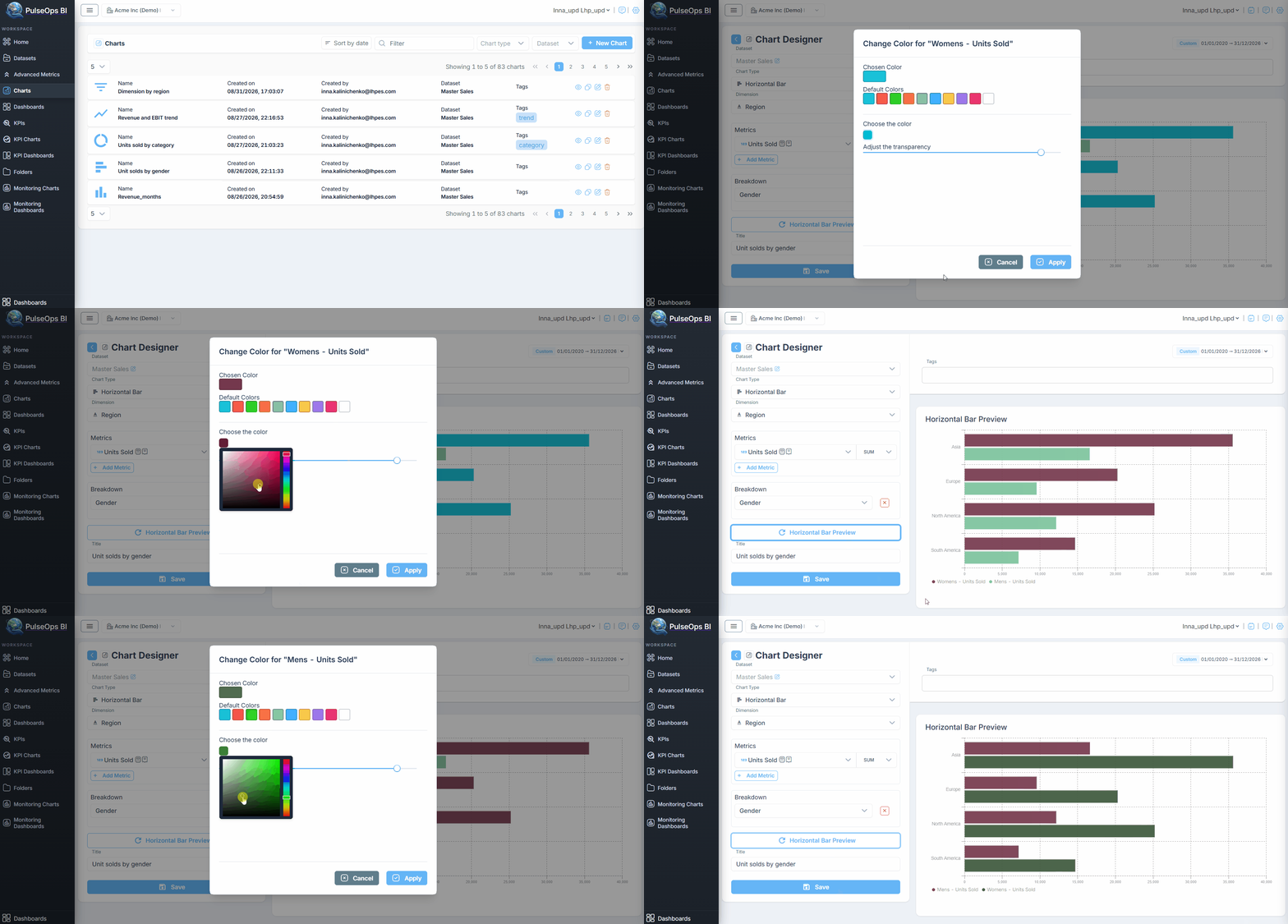
Create Chart
How to create different types of Charts for your dashboard, employing different features to effectively communicate different aspects of the data.
- Card chart
- Pie chart
- Vertical-bar chart
- Horizontal-bar chart
- Doughnut chart
- Line chart
- Gauge chart
- Table
- Line/Bar
- Dimension Filter
Chart library
All the charts that have been created are conveniently housed within the chart library. Within this library, users can Preview,Copy, Edit, or Delete existing charts, as well as create new ones. Additionally, to streamline the search process, the library allows users to filter charts by type, name, or dataset, and sort them by date, enhancing accessibility and facilitating efficient navigation.
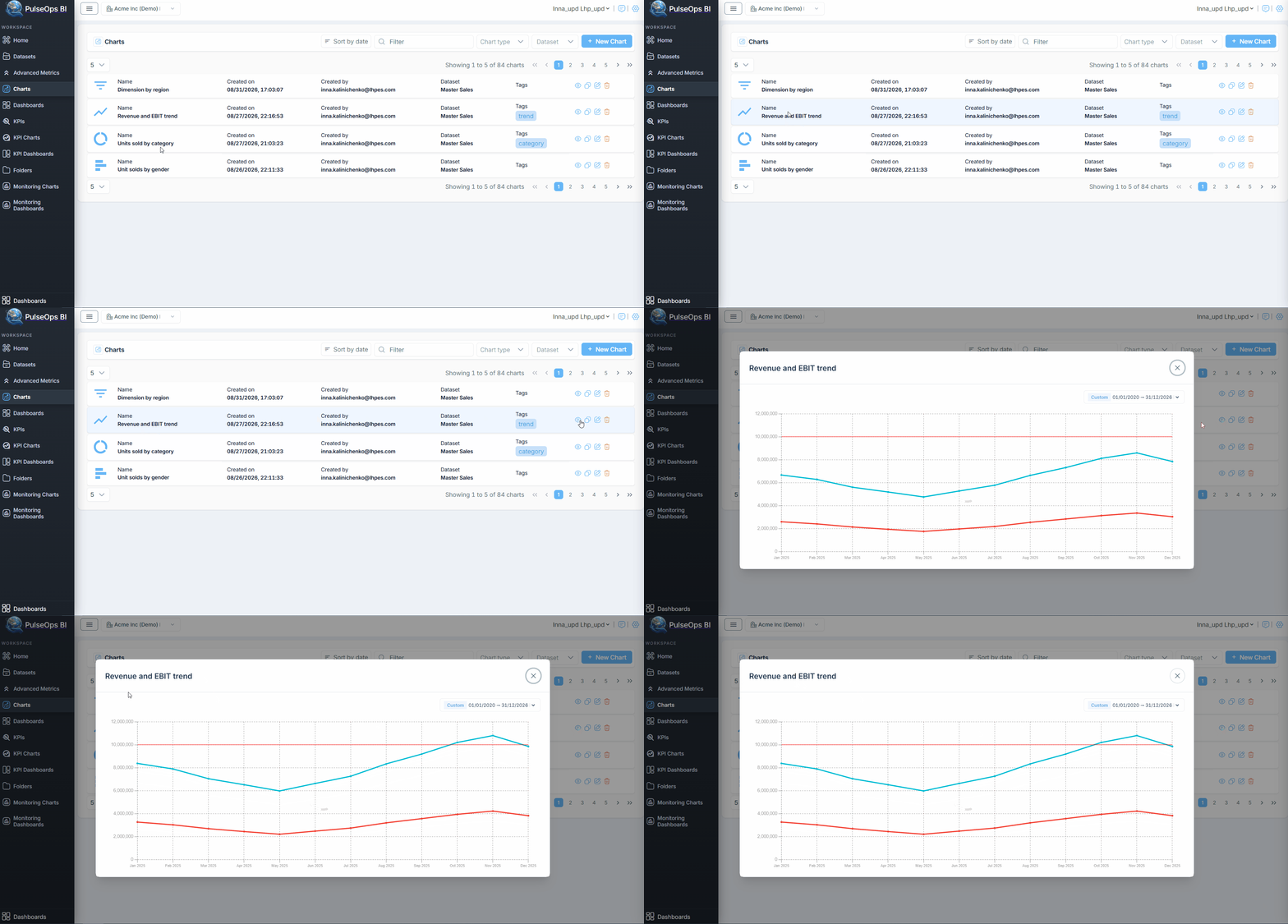
Preview a Chart
To preview a сhart from the Library:
- In the Charts library, click the Preview icon (eye icon) for the required chart.
- A preview window opens and displays the chart with the selected date range.
- To change the date range, click Custom.
- A drop-down calendar opens, allowing users to select the date range for which data is displayed on the chart.
Copy a Chart
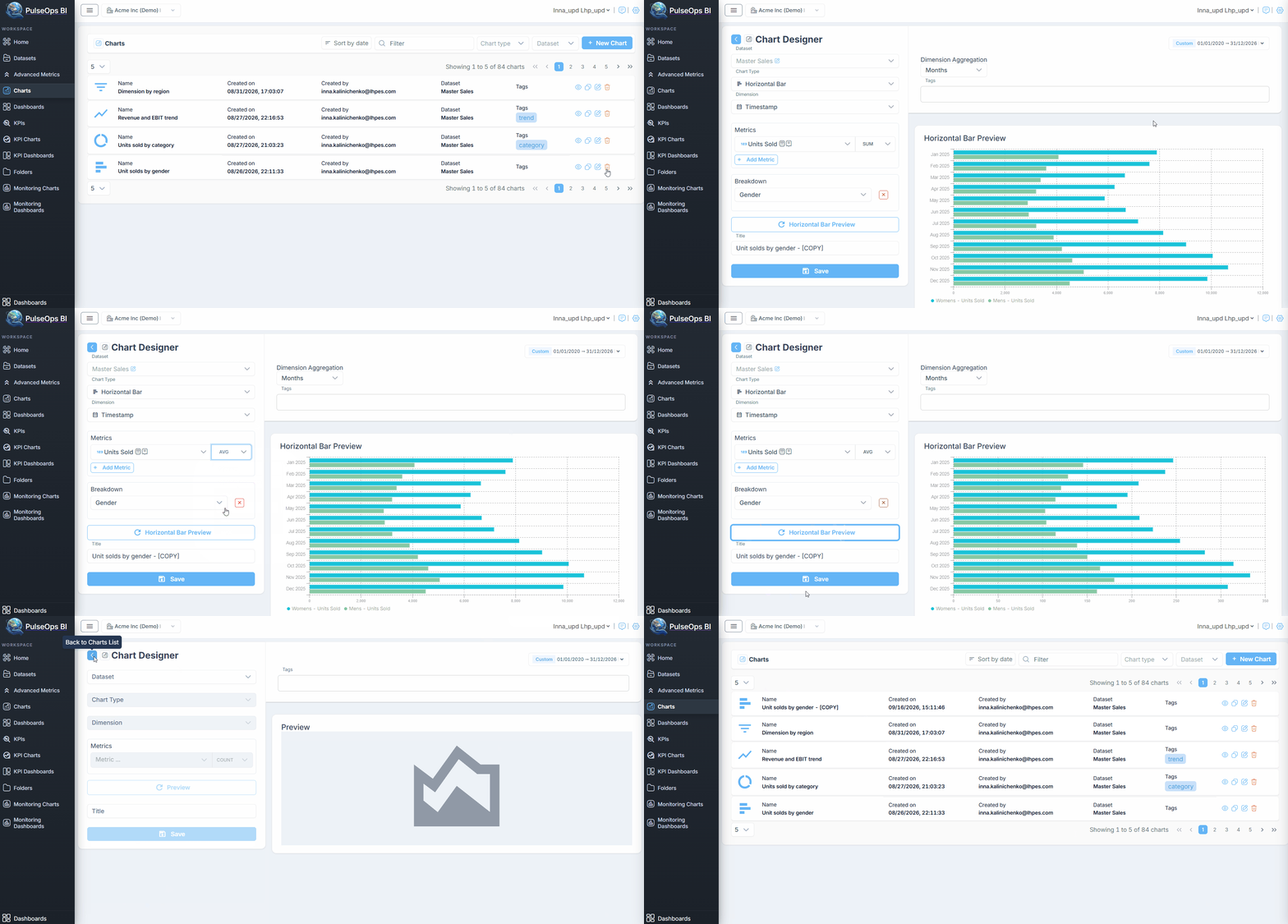
Users can create a copy of an existing сhart while keeping all its current settings.
- In the Charts library, click the Copy icon.
- A new chart opens with the same settings as the original chart.
- The title is automatically updated by adding [COPY] to the original title.
- You can modify the copied chart settings and save it as a new chart.
For example: Revenue and EBIT trend → Revenue and EBIT trend - [COPY]
Edit a Chart
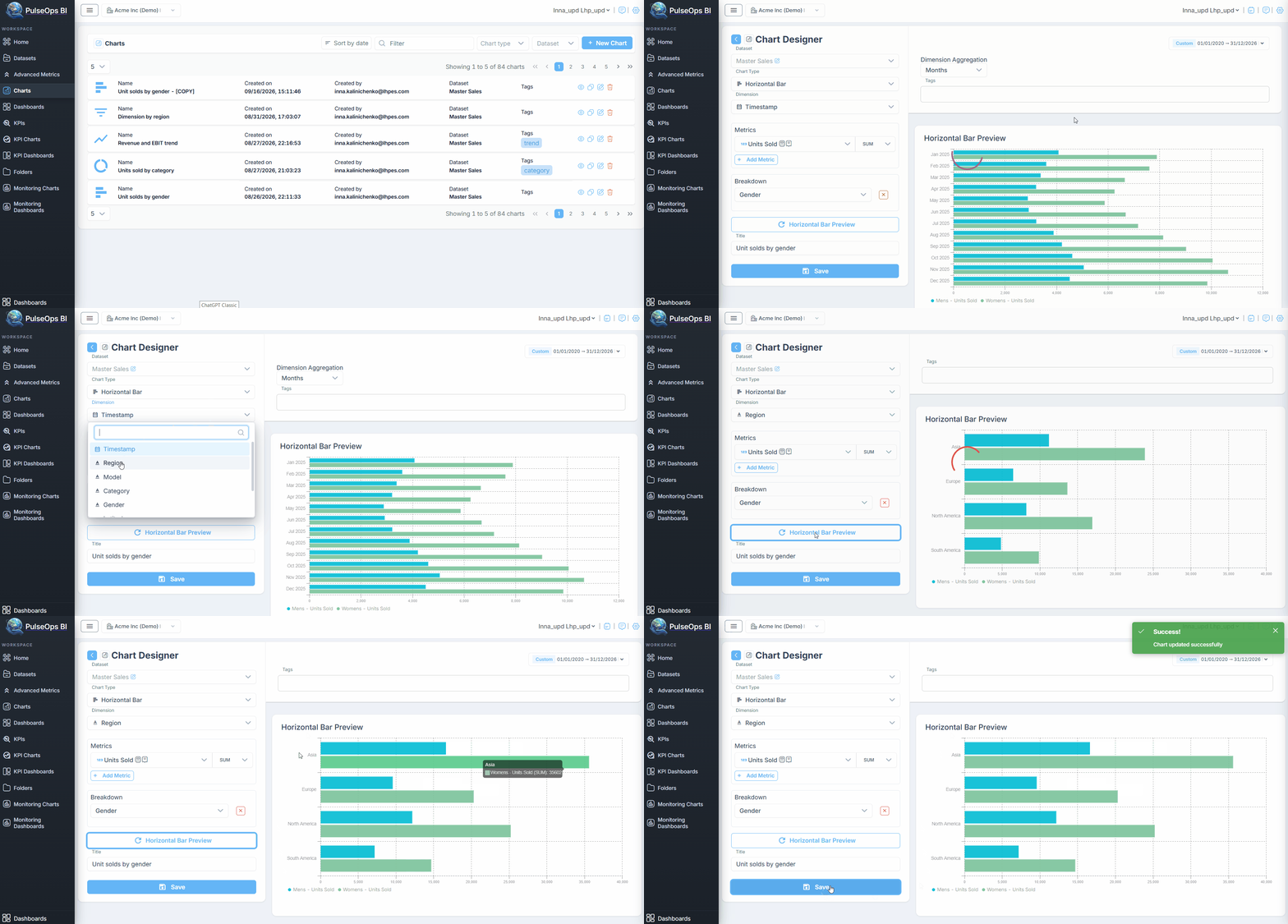
In the Charts library, click the Edit icon to modify an existing chart.
Delete a Chart
- In the Charts library, click the Delete icon.
- A confirmation window appears asking you to enter DELETE in uppercase letters.
- The chart is deleted only after DELETE is entered correctly and the deletion is confirmed.
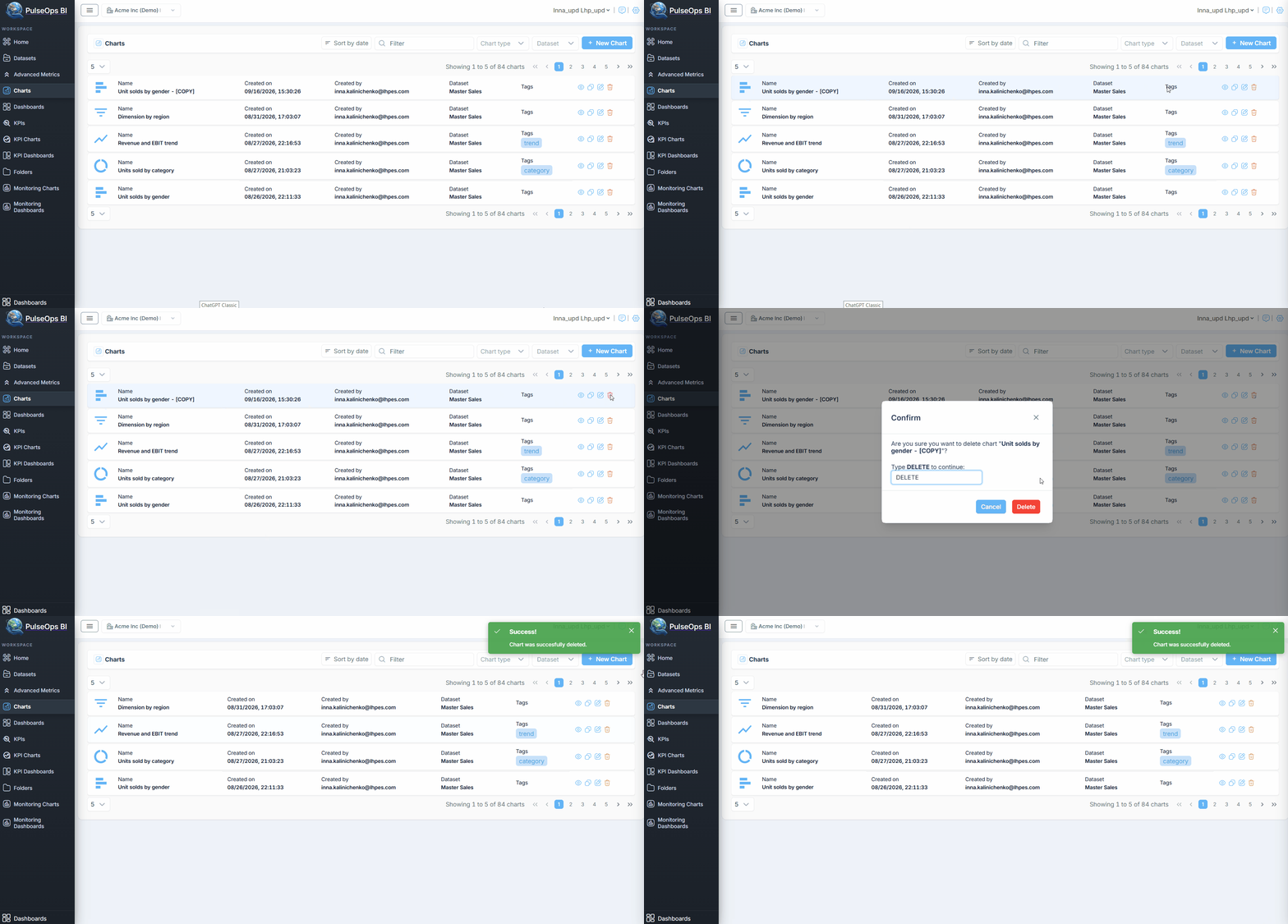
Chart customization
PulseOps BI allows users to customize charts by choosing their preferred colors.
Color customization enhances the user experience, improves visual clarity, and facilitates the communication of information. Colors can be tailored to align with a brand's identity, ensuring consistency across different platforms and reinforcing brand recognition. Moreover, assigning distinct colors to different data categories, trends, or levels of importance makes it easier to differentiate and understand information at a glance.
In PulseOps BI, customizing your charts is easy. Follow these simple steps:
- During the creation of any type of chart, click the Preview button.
- In the preview window, click the colored dot and select the desired color.