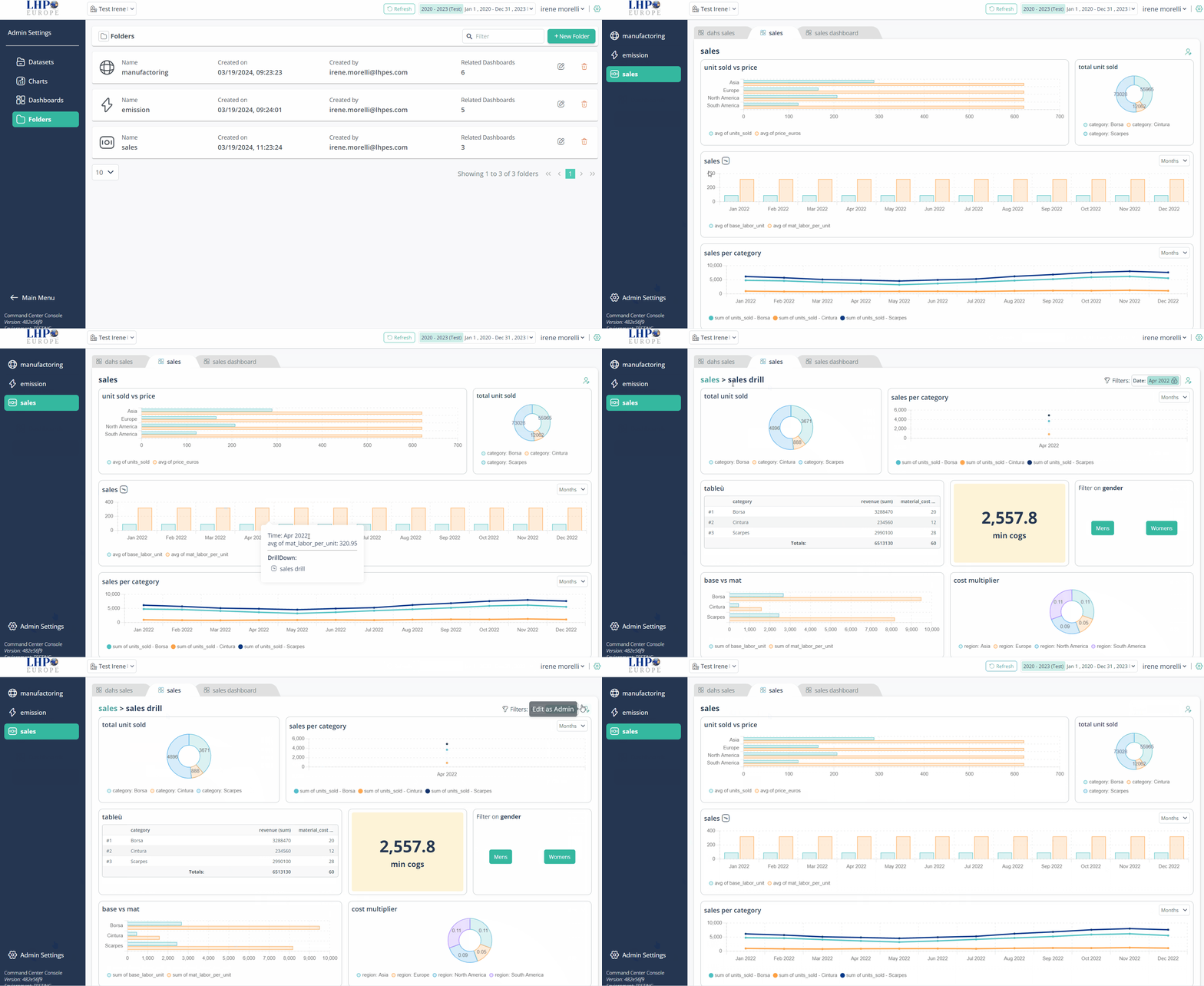
Drill-Down visualization
Before you begin, verify that the Drill Down dashboard is created
- Log in PulseOps BI as User/Admin/SuperAdmin
- From the Viewer select the folder containing the Primary dahsboard of interest
- Recognize the Parent chart from the drill-down icon(near the chart title)

- Select the bar or time point of interest and click with the left button of the mouse Dropdown menu opens, showing the related drill-down dashboard
- Click on the Drill-down dashboard to visualize it
- To return to the primary dashboard, click on its name located at the top left corner of the dashboard.